
Short answer
A good WhatsApp AI assistant starts narrow, answers from approved business facts, admits limits, and hands over to a human before frustration builds. Technically, it needs a webhook, message store, conversation state, retrieval layer, safety gate, send API, handoff inbox, and monitoring.
- Automate the top few high-volume, low-risk questions first.
- Never trap customers in loops; escalation is part of the product, not a failure.
- For developers, build around webhooks, state, retrieval, safety classification, and human handoff from day one.
A bad chatbot annoys customers faster than no bot at all. On WhatsApp, the damage is even quicker because the channel feels personal. People expect short answers, clear next steps, and a way to reach a human when the issue is not simple.
That does not mean businesses should avoid automation. WhatsApp is already where many customers ask questions, send documents, confirm deliveries, and follow up on payments. The opportunity is real. The design discipline is to automate the repetitive work without making customers feel trapped.
Start with a narrow job
1. Answer
Approved FAQs
Use a small, maintained knowledge base for hours, prices, locations, requirements, delivery status, and other low-risk questions.
2. Estimate
Rules before prose
Collect the variables, call an approved pricing or calculator tool, show assumptions, and label the result as an estimate until staff confirms it.
3. Handoff
Human control
Create a ticket with the summary, intent, customer details, transcript, and next action when the issue is serious or the assistant is unsure.
Start with the top five questions
Opening hours, location, prices, delivery status, appointment booking, payment instructions, document requirements, or stock availability are usually better first targets than "answer anything".
Make limits visible
The assistant should say when it is unsure, when it cannot act, and when a human will take over. Silence and loops destroy trust.
Keep the tone human but honest
Warm, brief, and useful. Do not pretend to be a person. Do not over-apologise. Do not write long essays inside WhatsApp.
Escalate on intent, risk, and sentiment
Human handoff should trigger for complaints, refunds, legal issues, medical or financial judgement, repeated failure, angry language, and requests outside scope.
The wrong first brief is "make a WhatsApp bot that answers customers." The right first brief is narrower: "answer our five most common questions, collect the inputs for a controlled estimate, and escalate anything serious to the sales desk." Narrow scope gives the assistant a chance to earn trust.
Design the handoff before the greeting
Customers forgive automation when it is useful. They resent it when it blocks them from a person. Handoff rules should be part of version one: customer asks for a human, complaint or refund appears, the message contains sensitive data, confidence is low, the same question repeats, or the assistant has failed twice.
The handoff message should be plain: "I am sending this to a team member. They will see your last messages and reply here." Then the staff inbox should receive the summary, intent, customer number, recent transcript, and suggested reply. Do not make the customer restart the story.

The technical baseline
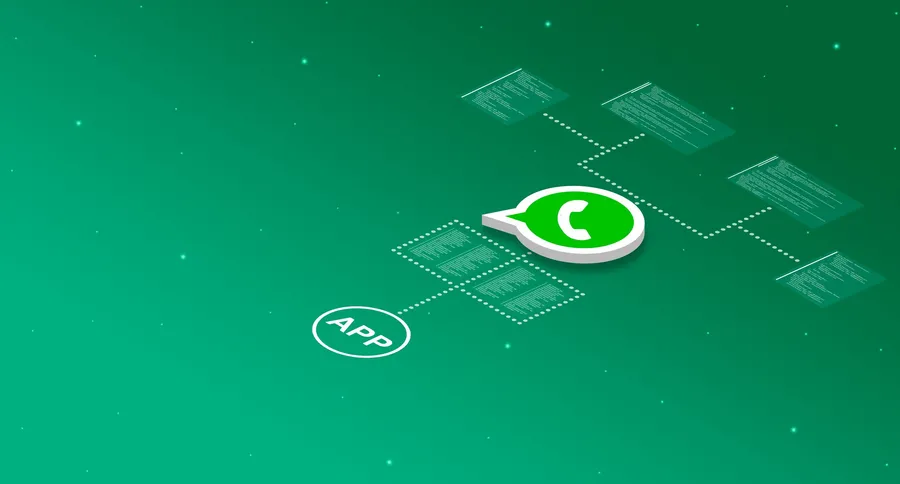
For developers, a WhatsApp AI assistant is not just "connect WhatsApp to a model". It is an event-driven service. WhatsApp sends webhook events to your endpoint. Your system verifies and stores the message, updates conversation state, decides whether AI should answer, retrieves approved knowledge, calls the model through a controlled gateway, checks the output, sends the response through the WhatsApp API, and logs the result.
Webhook receiver
Receive WhatsApp Cloud API webhook events, verify signatures, de-duplicate message IDs, store inbound messages, and enqueue work instead of processing everything inside the request.
Conversation state
Track contact, language, consent, open issue, last bot answer, handoff status, and the 24-hour customer-service window. Do not rely only on raw chat history.
Knowledge retrieval
Answer from approved FAQs, product data, policy pages, order status, and service rules. Use retrieval or structured tools rather than letting the model invent company facts.
Safety gate
Classify each turn for prohibited data, high-risk intent, anger, low confidence, and out-of-scope requests. Route risky turns to a human before sending an AI answer.
Handoff queue
Create a staff inbox item with customer name, phone, summary, last messages, detected intent, and suggested response. Tell the customer what happens next.
A basic implementation shape
The first version can be simple. Create tables for contacts, conversations, messages, handoff tickets, knowledge documents, and AI runs. Queue inbound webhooks so the WhatsApp endpoint returns quickly. Use idempotency on message IDs so retries do not create duplicate answers. Keep prompts server-side. Set token, latency, and cost budgets. Log model, prompt version, retrieved sources, confidence, output, and send status.
Use retrieval for business facts. The model should not invent your opening hours, delivery fees, refund rules, or product availability. It should answer from a small approved knowledge base and say when it does not know. For transactional data such as order status or an estimate, call a structured tool with a customer identifier and return only the minimum needed information. Never let free-form model text silently set a binding price.
Privacy is part of the build. Ask for only the information needed. Do not request passwords or full card numbers. Avoid sending sensitive content to providers that are not approved for it. Define retention. Restrict staff access. Monitor failed sends, slow responses, repeated escalations, and negative feedback.
The launch test
If the assistant cannot answer the top five questions better than a junior staff member with an FAQ sheet, do not widen scope. Fix the narrow job first.
What to measure after launch
Track containment only alongside satisfaction. A bot that "contains" 80% of chats by frustrating customers is not succeeding. Measure answer accuracy, time to first response, human handoff rate, repeated-question rate, customer feedback, failed-send rate, and the number of conversations reopened after the assistant thought they were done.
The best WhatsApp AI assistant feels small at first. It answers the obvious things instantly, knows when to stop, and makes the human team faster. That is how automation earns trust instead of spending it.
For the policy behind this kind of assistant, read Write Your Company's AI Policy in Two Pages. For data controls, see Where Does Your Business Data Go When You Use AI?. For a wider automation brief, see the guide to agentic AI for business owners or request a scoped conversation.
Frequently asked questions
Is there a tool that answers common WhatsApp questions, generates estimates, and hands serious issues to staff?
Yes, but it should be designed as a controlled WhatsApp workflow rather than an unrestricted chatbot. The assistant can answer approved FAQs, collect the details needed for an estimate, calculate only within approved rules or tools, and create a staff handoff when the issue is sensitive, unusual, urgent, or outside its confidence and authority.
Should a WhatsApp AI assistant pretend to be human?
No. It can sound natural, but it should be clear that it is an automated assistant. Trust improves when the assistant is honest, useful, and quick to hand over to a human.
What should a WhatsApp AI assistant automate first?
Start with the few highest-volume, lowest-risk questions: hours, location, prices, document requirements, order status, appointment slots, delivery updates, and simple FAQs. Automate those well before widening scope.
When should the assistant hand over to a person?
Handoff should trigger when the customer asks for a human, becomes angry, repeats the same question, requests refunds or complaints, shares sensitive data, asks for legal/medical/financial judgement, or the model is not confident.
What does a developer need to build first?
A webhook receiver, message store, conversation state, retrieval layer, LLM gateway, safety classifier, response renderer, WhatsApp send API integration, handoff queue, logs, and monitoring for latency and failed sends.
How do you protect customer data in a WhatsApp AI assistant?
Collect the minimum data, avoid sending sensitive data to public tools, use approved providers, redact where possible, log access, define retention, get consent where required, and route high-risk cases to staff.
Sources and implementation note
WhatsApp platform rules, pricing, and API fields change. Check the current Meta documentation before building or pricing a live assistant.
About the author
Peter Bamuhigire
Software architect and ICT consultant — business management systems across Africa
Peter Bamuhigire has led ERP, SaaS, and custom software programmes for organisations in Uganda, Kenya, Rwanda, DRC, Senegal, Sierra Leone, and Guinea over the last fifteen years, and runs the practice as principal architect.