

Short answer
Choose a branch network from the work it must protect, then test the failure paths before you sign. Map devices, cabling, power and provider dependencies at every site; define a primary and genuinely independent backup connection; prioritise payments and operational systems; separate and secure the traffic; agree support escalation; and keep a dated outage and test log. Two providers are not automatically two routes.
When a branch connection fails, the problem is not “the internet”. A payment may not complete, stock may stop updating, a guest may wait, a clinician may lose access to records, or the central office may lose contact with its team.
That is why a business opening in Jinja, adding a Kampala outlet, or supporting offices across the region should select a network from the bad day backwards. Advertised speed is only one input. The real buying question is: which work must continue, through which failure, and with whose help?
Start with the work the connection must support
List the tasks at each branch before asking a supplier to recommend a circuit or router. A retail branch may need card or mobile-money payments, stock updates, a point-of-sale system, staff messaging and a customer-service channel. A hotel or restaurant may add reservations, voice, guest Wi-Fi and supplier communication. A school, clinic or professional office may depend on cloud records, video meetings, file sharing and secure access to a head office.
Now divide those tasks by how they should behave during disruption:
- Must continue: payments, emergency or customer-service contact, essential stock or booking updates, and the systems that protect people and money.
- Should continue in a reduced mode: voice, routine cloud work, internal messaging and small data synchronisation.
- Can wait or reduce quality: large backups, video, software downloads, guest browsing and non-urgent media uploads.
This priority list gives the network design a business purpose. It also gives you a better question for the supplier: “What happens to payments when the primary link fails?” is more useful than “How many megabits do we get?”
Survey every site before comparing quotations
A multi-branch network is a collection of physical places, not a diagram drawn from the head office. Walk through each site and record the service entrance, rooms, walls, ceilings, equipment positions, cable runs, wireless dead spots, power outlets and secure areas.
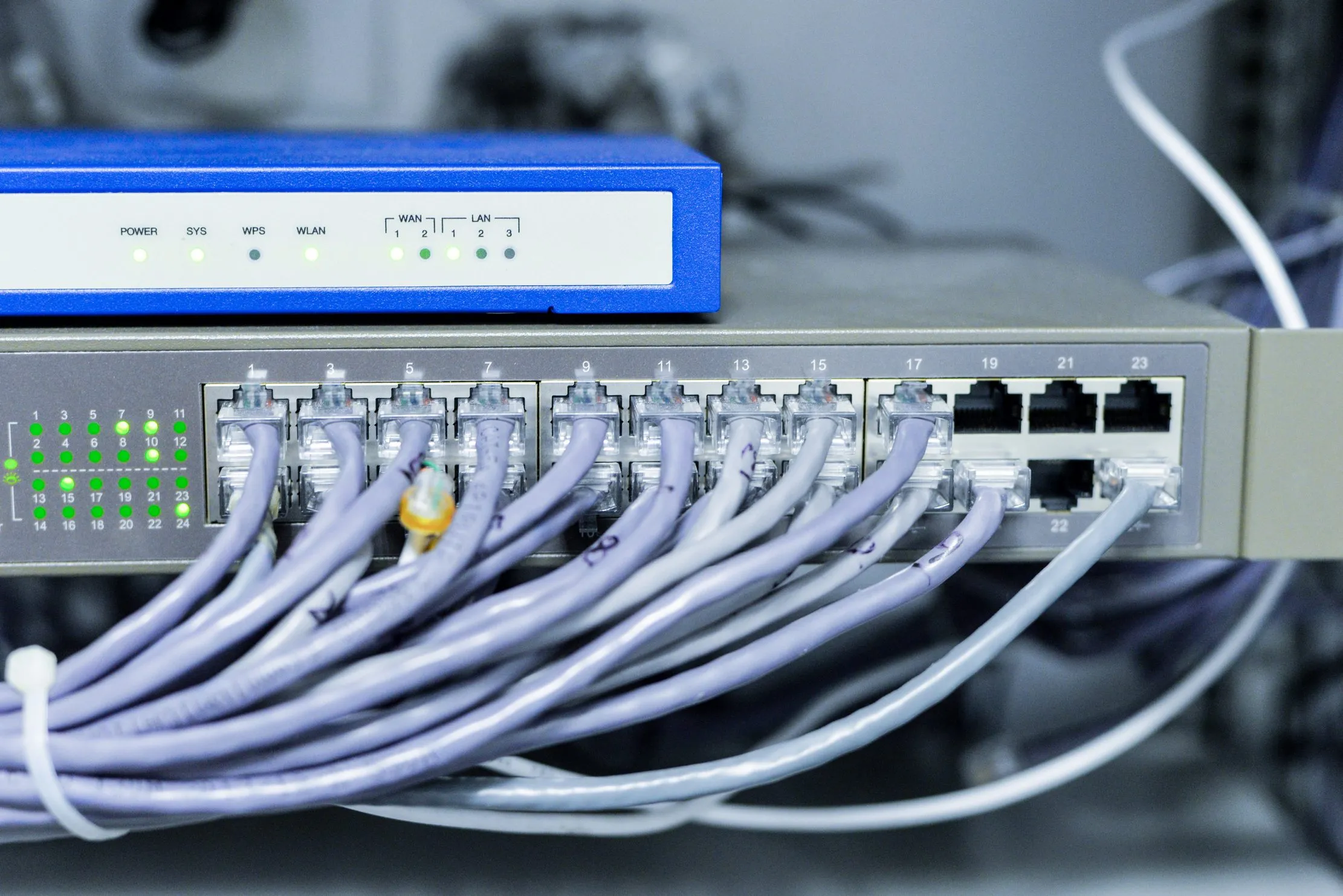
Make a device and cabling map that names the router, firewall, switches, wireless access points, tills, printers, cameras, phones, servers, staff computers and critical third-party equipment. Mark which devices are on a UPS or other power protection, which are locked away, and which depend on one switch, one cabinet or one power socket.
Ask the provider to document its handoff point, access route, upstream dependencies, expected support process and ownership boundary. If the survey cannot answer where a connection enters the building or what equipment the provider controls, keep that gap visible in the quotation comparison.
Make the backup connection genuinely independent
A primary link and a backup link are useful only when they do not fail for the same reason. Compare the medium, provider, building entry, local equipment, power source, upstream carrier and physical route. A fibre connection and a second service from another company can still share a duct, pole, road, building, exchange or point of presence.
CISA’s communications-resiliency guidance calls out route diversity and common carrier facilities because organisations can buy two services without removing the shared failure. Ask each provider for enough route information to compare the paths. If they cannot disclose the relevant dependency, classify the backup as “provider-diverse but route unverified”, not as fully independent.
Also check the changeover itself. Does the firewall fail over automatically? Do the branch-to-branch VPN, payment devices, voice service, cloud applications and security controls recover? Does the backup have a data allowance or power dependency that makes it unsuitable for a long outage? A link that exists on paper but has never carried the priority traffic is not a tested backup.
Prioritise traffic before the outage
When the backup link is smaller or more expensive, the branch needs rules. Put payment, stock, reservations, patient or student records, business voice and approved remote access ahead of guest browsing, entertainment, large downloads and bulk backups.
Use separate network segments for staff, guests, payment or operational devices, cameras and infrastructure administration where the equipment and risk justify it. Apply quality-of-service rules to the traffic that must remain usable. Schedule heavy backups outside the busiest period or use a separate path if the design supports one.
Keep the policy understandable. The branch manager should know what remains available during failover, what is intentionally restricted, and who can approve a temporary change. A complicated rule that nobody can explain will be difficult to operate under pressure.
Secure the branch as part of resilience
An available network that exposes the business is not resilient. At minimum, ask who will:
- change default device credentials, protect administrator access with MFA where supported, and keep router, firewall and access-point firmware under an update routine;
- separate guest and operational traffic, limit branch-to-branch access, and review remote-management permissions;
- record firewall events, link status, failover events and configuration changes with enough time information to investigate a problem;
- export encrypted device configurations and keep an offline copy of the network diagram, contacts and recovery steps; and
- protect the communications cabinet, UPS and spare equipment from casual access, heat, water and avoidable power damage.
CISA’s small-organisation goals and ransomware guidance connect network diagrams, segmentation, access control, backups and recovery. They are useful reminders that resilience includes the ability to understand, contain and rebuild the network — not only to keep a light on in the router.

Buy support and escalation, not only equipment
Write the support path before installation. Name the branch contact, internal owner, network maintainer, primary provider, backup provider, equipment supplier and decision-maker who can approve an emergency workaround.
Ask how a fault is logged, what information the provider needs, how the case is escalated, when a field visit becomes necessary, and how you receive updates. Do not rely on an informal promise that someone will “look into it”. Put the communication channel, service boundary, maintenance notice process, replacement responsibility and contract terms in writing.
Keep a one-page branch runbook. It should show the safe checks staff can perform, what they must not unplug, how to confirm that failover occurred, how to protect pending payments or transactions, and who to call. NIST’s contingency-planning approach is useful here: identify essential functions, define alternate procedures, assign responsibility, and exercise the plan.
Set a test calendar before you need it
Testing should be a calendar entry, not a reaction to the first serious failure:
- Monthly: confirm monitoring alerts, contact details, device backups and the last successful failover record.
- Quarterly: test one branch’s changeover in an agreed window, including priority applications, VPN, voice, payment workflow and recovery to the primary link.
- Twice a year: rehearse a longer scenario such as provider failure plus a power cut, router replacement, or a damaged cable. Include branch staff and the support contact.
- After every material change: update the map and runbook, then test the changed path, firewall rule, device, provider or application.
Record the result, not just the date. A failed test is useful evidence when it produces an owner and a correction. A green tick with no evidence is only an assumption.
Keep an outage log that can justify an upgrade
Use a small log at every branch. It can live in a controlled spreadsheet or service desk, provided it remains available when the network is down. Keep a paper or offline contact copy for the first response.
| Date / branch | Start / end | Trigger | Services affected | Workaround / ticket | Owner / next action |
|---|---|---|---|---|---|
| ________ | ________ | provider / power / router / cable / unknown | payments / stock / voice / cloud / other | ________ | ________ |
| ________ | ________ | provider / power / router / cable / unknown | payments / stock / voice / cloud / other | ________ | ________ |
Review the log monthly and at budget time. Look for total downtime, repeated triggers, branches that always depend on the same route, failed changeovers, and manual work that creates financial or service risk. An upgrade may mean a different physical route, stronger power protection, a better-managed firewall, new cabling, a more suitable backup, clearer support or a process change. It does not automatically mean buying more headline speed.

The decision is a tested operating plan
Before you approve a multi-branch network, ask for five things: a site survey, a device and cabling map, a primary-and-backup design with dependencies, a traffic and security policy, and a support-and-test plan. Add the outage log once the first branch is live.
The best design is not the one with the longest specification. It is the one your branch team can understand, your provider can support, and your organisation has already tested on an inconvenient day. That is how connectivity becomes business continuity rather than another single point of failure.
Frequently asked questions
Does having two internet providers guarantee resilience?
No. Two providers can still share a road, building, exchange, power source, upstream carrier, or other facility. Ask for the physical and logical route, not only two invoices, and test the changeover under a controlled window.
Is a mobile connection enough as a branch backup?
It can be useful for essential low-bandwidth work, but suitability depends on the site, equipment, signal, power, data controls, and provider terms. Test it with the actual payment, stock, voice, VPN and cloud workflows before relying on it.
How often should a branch test failover?
Set a calendar rather than waiting for a fault. Run a controlled monthly check of monitoring and basic changeover, a quarterly branch exercise that includes power and router recovery, and a larger scenario at least twice a year or after a major network change.
What should a network site survey include?
It should record the building, rooms, devices, cabling, entry points, router, switches, wireless access points, power protection, provider handoff, branch-to-branch links, critical applications, and known dependencies. It should also identify what remains undocumented or cannot be tested.
Sources & the researchers worth crediting
This article uses the supplied MCT4SD 2025 Volume 3 extract for its distributed-technology and resilience lens, and Stéphane Duguin’s Cybersecurity for NGOs for its emphasis on operational impact, limited resources, preparation and recovery. CISA and NIST provide the practical route-diversity, dependency, contingency and testing guidance. The checklist is Peter Bamuhigire’s operational synthesis; it does not promise a particular provider, speed, uptime or repair time. Confirm the design against each site, contract, sector and applicable local requirements. Sources were checked on 10 September 2026.
- Springer Nature — MCT4SD 2025, Volume 3
- Stéphane Duguin — Cybersecurity for NGOs: Attack Prevention and Threat Response
- CISA — Public Safety Communications Network Resiliency Self-Assessment Guidebook
- NIST — SP 800-34 Rev. 1, Contingency Planning Guide
- CISA — Cross-Sector Cybersecurity Performance Goals
Read next
A Four-Year Life Plan for Office Computers
Connect network planning to the devices, power arrangements and support records at each branch.
The First 24 Hours After a Phishing Attack
Prepare the people and response steps needed when a network or account incident affects operations.
Review your ICT operating plan
Bring branches, systems, controls and support responsibilities into one practical review.
About the author
Peter Bamuhigire
Software architect and ICT consultant — business systems across Africa
Peter Bamuhigire helps organisations turn technology decisions into workable operating systems. For multi-branch teams, his focus is the space where connectivity, payments, stock, cloud applications, people and support responsibilities meet — especially when a branch has to keep serving customers during an outage.